How to fix it
Work through these in order, the most common causes come first.
Start With the Basics
USB-C port wattage: most travel adapter USB-C ports are rated 18 to 20W.
Most laptops need 45 to 100W.
Charging directly through the adapter's USB-C port is rarely the right approach.
Grounded vs ungrounded outlets: a 3-prong grounded laptop charger may not work correctly, or at all, on an adapter that only supports 2-prong ungrounded connections.
Shared wattage capacity: if several other devices are drawing power from the same adapter, the laptop may not get enough to charge properly.
Diagnosing Your Specific Problem
Laptop won't charge at all, plugged into the adapter's USB-C port: expected in most cases.
Switch to the adapter's AC outlet with your laptop's own brick.
Laptop charges very slowly through the AC outlet: check the adapter's total wattage rating against your laptop charger's rated wattage, and reduce other devices drawing power simultaneously.
Laptop charger won't seat properly in the adapter's outlet: likely a grounding mismatch.
Confirm your charger's plug style (2-prong or 3-prong) against the adapter's outlet design.
Our picks
Products we recommend
As an Amazon Associate I earn from qualifying purchases. Picks are based on manufacturer specs, independent reviews and owner reports.
OREI
Small enough to keep in a daypack pocket for daily sightseeing
- Slide-out plug attachments including Type C/E/F and Type G
- 2 USB-A ports plus 1 universal AC outlet
- Safety shutters and fuse protection
- Compact size
✓ Pros
- Small enough to keep in a daypack pocket for daily sightseeing
- Safety shutters block accidental contact with live pins
✕ Cons
- Only one AC outlet limits simultaneous device charging
- USB ports top out at 2A, slower than PD-equipped alternatives
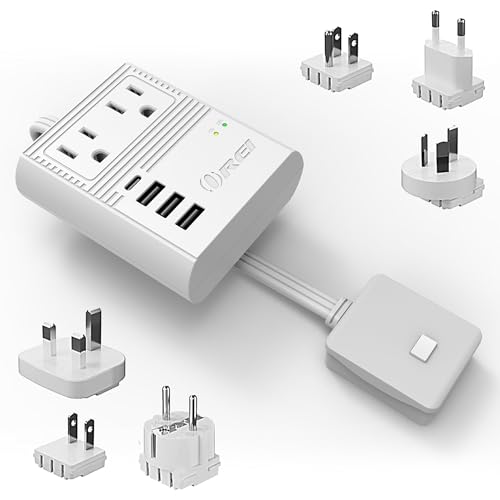
OREI
Six total charging points from a single European hotel outlet
- Interchangeable plug heads for Europe and the UK
- 2 USA outlets, 3 USB-A ports, 1 USB-C PD 18W port
- Grounded 3-prong design
✓ Pros
- Six total charging points from a single European hotel outlet
- 18W USB-C PD charges a phone noticeably faster than USB-A-only kits
- Grounded design adds safety marg in for laptop chargers
✕ Cons
- Larger and heavier than a simple plug-only adapter
- 18W PD is not enough to fast-charge most laptops
BESTEK
Genuine step-down voltage conversion, not just a plug shape adapter, matters for single-voltage hair tools
- 100-220V to 110V step-down voltage conversion, 250W
- 6A 4-port USB charging
- 3 AC sockets
- EU/UK/AU/US/India plug attachments
- Covers 150+ countries
✓ Pros
- Genuine step-down voltage conversion, not just a plug shape adapter, matters for single-voltage hair tools
- Three AC sockets plus four USB ports cover a full family's devices from one wall plug
- Wide plug attachment set covers most common destinations
✕ Cons
- 250W ceiling means it cannot run high-draw appliances like full-size hair dryers
- Bulkier and heavier than plug-only adapters since it houses conversion electronics
- Audible fan noise reported by some owners during conversion
FAQ
Common questions
Why won't my laptop charge through my travel adapter's USB-C port?
Most travel adapter USB-C ports are rated 18 to 20W, far below the 45 to 100W most laptops need for charging. Some laptops won't charge at all below a minimum wattage threshold, and others will charge extremely slowly or not keep pace with active use. Use the adapter's AC outlet with your laptop's own charging brick instead of its USB-C port.
Should I plug my laptop's charger into the travel adapter's AC outlet or its USB-C port?
Always the AC outlet, using your laptop's own charging brick, unless you've specifically verified the adapter's USB-C port matches or exceeds your laptop's required wattage, which is rare for typical travel adapters. The AC outlet approach works exactly like charging at home, just with a plug shape adapter in between.
Can an ungrounded travel adapter prevent a laptop from charging?
Some laptop chargers use a grounded 3-prong plug and may not seat properly, or may trigger a safety cutoff, on an adapter that only supports 2-prong ungrounded connections. If your laptop brick has a 3-prong plug, confirm your adapter's outlet is a full grounded 3-prong design, not a 2-prong-only adapter.
Can overloading a travel adapter stop a laptop from charging?
If several other devices are drawing power from the same adapter's shared wattage capacity, the laptop, often the highest-draw device on the adapter, may not receive enough power to charge, or may charge very slowly. Unplug other devices and test the laptop alone to isolate this.
Keep researching
Related guides & comparisons